Babyname
- 3.6
- Rating
- 500.00K
- Installs
- Free
- Price

 Analysis by App-foxy
Choosing a baby’s name can sound simple until two people bring completely different tastes to the conversation. One person prefers traditional names, another wants something unusual, and suddenly a short list becomes a negotiation. Babyname from DoSomethingGood is designed around that shared decision, rather than treating the task as a private search through a giant dictionary. I found its appeal strongest when both parents want to explore names together without immediately arguing over every suggestion.
This is a free parenting app with optional in-app purchases ranging from $0.99 to $7.99 per item. It is available for a broad audience with an Everyone content rating, and the current version is 3.4.0 for devices running Android 7.0 or later. The app has passed the point of being an obscure experiment: it has over 500 thousand installs, an average rating of 3.7 from around 10 thousand ratings, and roughly 1.4 thousand written reviews. Those figures suggest a useful but not universally smooth experience, which matches my impression: the central idea is convenient, while the first few minutes require patience and careful coordination.
Where the shared naming process can get stuck
The main challenge is not finding names. It is getting two people to use the app in the same way. A name-sharing tool only helps if both participants understand what they are meant to do, respond consistently, and remember that a private reaction is not the same thing as an immediate agreement. If one person taps through quickly while the other studies every option, the resulting list can feel confusing rather than helpful.
You May Also Like

 Blood Strike: 2.5 Anniversary
Blood Strike’s Loadouts Turn Every Drop Into a Tactical Gamble
A close look at Blood Strike’s custom loadouts: how fast access to signature weapons reshapes its battle royale rhythm, rewards preparation, and narrows the gap between fights.

 Pandora - Music & Podcasts
Pandora’s Music Is Easy to Start, but Harder to Recover
Pandora’s strength is its low-effort path from a seed to a station. Its weak spot is how much confidence it asks you to place in connection, setup, and quiet recovery.

 8 Ball Pool
 Is Built on Rivalries, Rematches, and Routine
A close look at the rivalries, rematches, shared routines, and unanswered safety questions that turn a quick pool match into a persistent mobile community.

 Samsung Music
’s Quiet Strength Is Playing What You Already Own
Its reach comes less from spectacle than from dependable access to a personal library. That simplicity is both the app’s strongest retention engine and its ceiling.

 AccuWeather: Weather Radar
AccuWeather Review: A Quick, Clear Forecast for Everyday Decisions
For everyday plans, the best forecast is the one you can understand quickly. AccuWeather makes rain timing, radar, and local conditions easy to act on, with a few trade-offs.

 Hill Climb Racing
Why Hill Climb Racing Still Turns Crashes Into One More Run
A tiny car, a bumpy hill and one more upgrade: Hill Climb Racing keeps resurfacing because its simple chaos makes every near-miss feel personal.
More From Our News Desk



I would begin by agreeing on the purpose of the session. Are you trying to discover possibilities, remove names you already dislike, or build a final shortlist? Babyname works best as a filter for a couple’s conversation, not as a replacement for that conversation. Going in with a narrow goal prevents the common mistake of treating every displayed name as a serious candidate.
Another point of friction is taste. A name can look attractive on a screen but sound awkward with the family name, clash with a sibling’s name, or carry a personal association that the other person does not know about. The app can help reveal overlap, but it cannot judge pronunciation in your household, cultural meaning, initials, nicknames, or how comfortable you feel saying the name aloud. I treated its suggestions as prompts for discussion rather than decisions.
There is also a practical difference between using it casually and using it as a structured activity. A quick session while waiting for an appointment may produce a few interesting ideas. A more serious session benefits from a quiet moment when both people can pay attention. If one parent is tired, distracted, or being rushed into choices, the app may appear less useful simply because the process is happening at the wrong time.
What I would settle before opening it
Before starting, I would make a short list of personal boundaries. For example, decide whether you are open to uncommon spellings, whether family names are being considered, and whether names with obvious nicknames are acceptable. This does not limit the app; it gives the results a context. Without those boundaries, it is easy to collect a long list that feels exciting for five minutes and impractical later.
I also recommend agreeing that a veto should be explained eventually, but not necessarily during the first pass. Immediate debates slow down discovery. A better rhythm is to react quickly, save the names that create interest, and discuss the reasons afterward. That turns the app into a sorting tool instead of a battleground.
The most useful mindset is to use Babyname for alignment, not authority. It can show where your preferences overlap, but the final choice still belongs to the people who will use the name every day.
Setup checks that make the first session easier
Because the app depends on shared participation, setup deserves more attention than it might receive from a normal name-list app. I would first check that both people are using compatible, supported devices. The stated minimum is Android 7.0, so an older phone may be the source of trouble before the app itself is considered. On a supported device, installing the latest available version is a sensible first step, especially since the current release is 3.4.0.
Next, make sure both participants know which action they are taking and what outcome they expect. Confusion at this point can look like missing names, an empty result, or a session that seems not to update. Rather than repeatedly tapping, pause and confirm that both people have completed the same stage of the process. A shared activity is easier to troubleshoot when only one variable changes at a time.
I would also avoid starting the first session on an unreliable connection. Even when an app appears simple, any process involving shared activity can be affected by a weak or changing connection. Try again on a stable network, and give the app a moment after an action instead of pressing the same control repeatedly. Repeated taps are particularly unhelpful when the screen is slow to respond, because they can make it harder to tell which action actually registered.
Another useful check is storage and general device health. If the phone is nearly full, running many demanding apps, or behaving strangely elsewhere, Babyname may not be the real problem. Closing unused apps and restarting the device are ordinary steps, but they are worthwhile before concluding that a shared naming session is broken.
How to prepare a useful naming session
For a first attempt, I would keep the session short and treat it as a trial rather than trying to solve the entire naming decision in one sitting. A short first run answers important practical questions: do both people understand the flow, are the reactions being recorded as expected, and does the resulting selection feel useful? If the answer is yes, you can return later with clearer preferences.
It also helps to keep a separate note for names that require research. A name may need checking for pronunciation, meaning, regional familiarity, or how it sounds with the surname. I would not rely on a reaction inside the app as the final record of why a name was saved. Writing a brief note such as “good sound, check initials” prevents a promising option from being forgotten or reconsidered without context.
Families should remember that the Everyone rating describes the app’s general suitability, not the quality of every name for every household. Parents may still want to discuss cultural fit, family sensitivities, and whether a name feels appropriate in their community. Those are personal judgments, and the app cannot make them on your behalf.
The free entry point is helpful for trying the concept without committing money. However, the presence of optional purchases means I would pay attention to what is included before buying anything. If the basic workflow already helps you compare preferences, you may not need extras. If you are considering a purchase, decide what problem it is meant to solve and whether that problem is actually affecting your naming process.
Recovering when the workflow does not behave as expected
When a shared session seems stuck, I would avoid assuming that the saved choices have disappeared. First, stop interacting for a moment and check whether the screen catches up. Then confirm that both participants are still in the intended session and have not accidentally moved into different stages. This simple check is more useful than restarting repeatedly, because it distinguishes a delayed screen from a genuine loss of progress.
If the issue continues, close and reopen the app, then repeat the smallest possible action. Do not immediately change several things at once. For example, switching devices, reinstalling, and changing network connections together may make the problem harder to understand. A controlled retry on a supported device and stable connection gives you a clearer answer.
Restarting the phone is another reasonable recovery step, particularly if other apps are also slow or unresponsive. If the problem appears only on one device, compare the experience with the other participant’s device. That comparison can reveal whether the difficulty is local to a phone or connected to the shared workflow.
I would be cautious about clearing app data or reinstalling while a session contains choices you care about. Those actions can remove local information in many apps, and there is no good reason to take that risk before trying less disruptive steps. If you need to reinstall, first make sure you understand what you might lose and whether the choices are recorded elsewhere.
A practical recovery routine for couples
My preferred recovery routine is simple: pause, check the connection, confirm both people are using the same session flow, close and reopen the app, and then test one action. If the result is still unclear, stop the session and write down the names already discussed. This protects the useful part of the activity even if the technical part needs attention later.
It is also worth separating a technical problem from a disagreement. If one person sees a name as a strong possibility and the other reacts negatively, that is not a failed session. The app may be doing exactly what it is meant to do by exposing different preferences. Record the difference and discuss it away from the screen, where tone and explanation are easier.
For a household using older hardware, the minimum operating-system requirement matters. A device that cannot run Android 7.0 or later is not a good candidate for this app. In that case, a standard name book, a browser-based list, or a shared note may be more practical than trying to force an unsupported setup.
When the app is not the cause
Sometimes the difficulty comes from the naming project itself. Parents may have unspoken expectations about honoring relatives, avoiding certain initials, or choosing a name that works in more than one language. If those expectations are not discussed, any name tool will produce frustration. Babyname can expose the disagreement, but it cannot resolve the reasons behind it.
Family pressure is another example. If relatives are sending long lists or criticizing every choice, an app session can become another source of noise. I found it more useful to keep the couple’s private shortlist separate from outside opinions until both parents had identified their own serious candidates. That preserves the app’s main strength: helping two people compare their preferences directly.
Pronunciation is especially important. A name that looks appealing in a list should be spoken with the surname, middle name, and likely nickname. I would say each finalist in several ordinary sentences, such as calling a child from another room or introducing them to someone. This catches awkward rhythms that a screen cannot show.
The same applies to spelling. If you are considering an uncommon spelling, discuss whether the intended pronunciation will be obvious and whether repeated corrections would bother you. Babyname may help you discover the name, but it cannot predict every practical consequence of the spelling you choose.
Who should choose another approach
I would skip this app if you are choosing a name alone and mainly want a searchable reference with detailed meanings, origins, pronunciation guidance, or popularity information. A dedicated name database or a well-organized book may be better for that kind of research. Babyname’s value is in shared preference matching, so a solo user may not experience its full benefit.
I would also choose a different method if your shortlist must follow strict cultural, religious, linguistic, or family rules. In that situation, an expert source or trusted community reference can provide context that a general naming app cannot. You can still use Babyname for brainstorming, but it should not be the only tool guiding the decision.
It may not suit couples who dislike swipe-style or rapid-choice activities. Some people think best by reading a small, carefully explained list and discussing each entry. If that describes you, a shared document with comments may feel calmer and more transparent. The app is more attractive when you want a lightweight way to compare initial reactions.
Finally, couples who are already in conflict should not expect the app to settle the disagreement. It can identify common ground, but it can also make differences visible without explaining them. In that situation, a conversation about priorities should come first, followed by the app as a neutral way to generate options.
My practical verdict after using it
Babyname is a focused parenting app with a sensible purpose: making baby-name discovery a joint activity instead of a one-person research task. I like it most for couples who want to compare instinctive reactions and build a shortlist without sending endless messages back and forth. The free price makes it easy to test, while optional purchases mean you should consider whether any extra spending genuinely improves your process.
Its limitations are equally clear. It does not replace pronunciation checks, family conversations, cultural research, or the final test of saying a name aloud. Shared workflows can also feel fragile when one participant is distracted, a device is unsupported, or the connection is unreliable. Those are not reasons to dismiss it, but they are reasons to use it deliberately.
My strongest recommendation is to begin with a short, low-pressure session, agree on how you will treat reactions, and keep a separate shortlist with notes about surname fit and follow-up research. If the app helps you discover overlap, return to it for another round. If it creates confusion, switch to a shared note or a traditional name reference rather than forcing the format.
With an Everyone rating and support beginning at Android 7.0, it is accessible to many households, and its established user base gives it a reasonable starting point for curious parents. Still, the average rating of 3.7 shows that the experience is not flawless. In my view, that is fair: the idea is genuinely useful, but the benefit depends on both people using the process carefully. For couples who want a simple way to find shared favorites, Babyname is worth trying; for detailed name research or complex family decisions, it works best as one small part of a wider process.
FAQs for Babyname
01What is Babyname and how does it work?
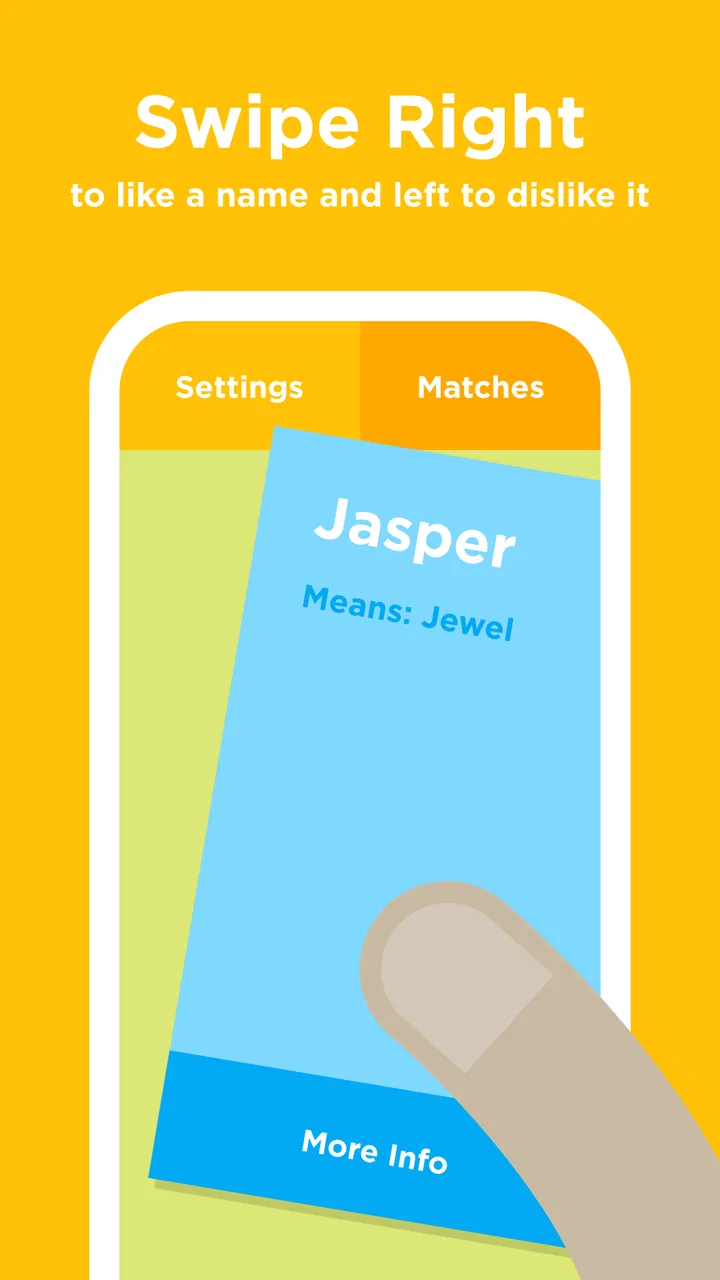
Babyname is an innovative app designed to help expecting parents find the perfect name for their baby. It offers a Tinder-like swiping feature where users can swipe right on names they like and left on those they don’t. When both parents swipe right on the same name, it’s added to a shortlist, making the decision process collaborative and fun.
02Is Babyname free to use, or are there in-app purchases?
Babyname offers a free version with a comprehensive list of names to explore. However, there are in-app purchases available for users who want access to additional features, such as expanded name databases, origins, meanings, and the ability to filter names by specific criteria. These extra features enhance the app's usability, especially for parents looking for detailed name information.
03Can I use Babyname with a partner who has a different device?
Yes, Babyname is available on both Android and iOS platforms, allowing users to connect and share their name preferences across different devices. By creating an account, both partners can sync their selections, ensuring a seamless and synchronized experience regardless of the device being used.
04Does Babyname provide information on the meaning and origin of names?
While the basic version of Babyname focuses on the swiping functionality to shortlist names, additional information such as meanings and origins can be accessed through in-app purchases. This feature is particularly useful for parents interested in cultural significance or the history behind a name, providing a deeper understanding of their choices.
05How secure is my data with Babyname?
Babyname prioritizes user privacy and data security. The app requires minimal personal information to function, and any data collected is used solely to enhance user experience. Additionally, the app employs industry-standard encryption to protect user data, ensuring that your preferences and personal information remain confidential.
Pros
- Easy-to-use interface for quick navigation.
- Large database of unique baby names.
- Allows collaboration with partner.
- Fun swiping feature to choose names.
- Customizable name lists available.
Cons
- Limited name origin information provided.
- Ads can be intrusive at times.
- No offline mode available.
- Requires account for full features.
- Limited free features
- in-app purchases needed.

Babyname
Gallery